
 Book a migration call
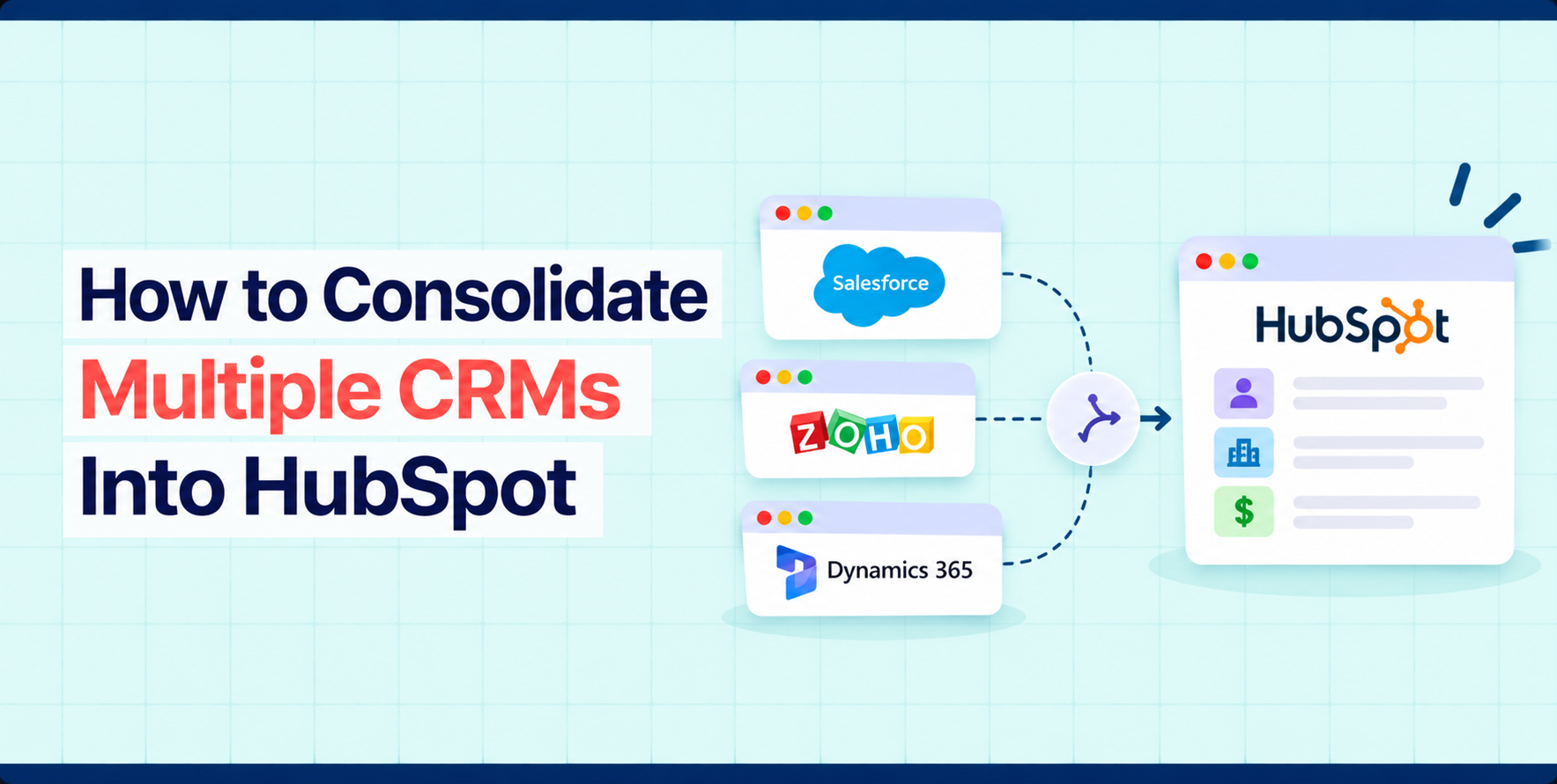

Migrating one CRM into HubSpot is a move. Consolidating several is a merge, and a merge is harder because the same customer can exist in every system, described differently each time. One system calls them a lead, another an account, a third a contact with a different spelling of the company. Which record is right, which owner is current, and whose notes survive are decisions, not data transfers.
This guide covers how to decide whether consolidation is the right move, how to inventory and align your systems, how to resolve duplicates and conflicts, how to keep ownership and history intact, and how to phase and validate the result. It also shows how SuprSwitch, SuprDense’s CRM migration platform, handles a consolidation through its four phases: Schema Analysis, Mapping Logic, Pilot Validation, and Final Execution.
When Does CRM Consolidation Make Sense?
Consolidation usually follows a business event: an acquisition, a merger of business units, a regional team that bought its own tool, or a long period in which different teams chose their own systems. The common symptoms are duplicate customers across teams, reports that need a spreadsheet to reconcile, sales reps who cannot see what marketing or support has already done, and several licenses for overlapping tools.
It does not always make sense. Keep systems separate when business units have different data models and no shared customers, when regulations require data to stay apart, or when a unit is about to be divested. Consolidate when the cost of not having one view of the customer, in lost context, duplicated outreach, and manual reporting, is greater than the cost of the project. Decide this with the owners of each system, because the project will need their time and their data.
Inventory Each CRM and Its Data Model
Before you decide how to merge, document what each system holds. For each CRM, record the objects in use, the record counts, the custom objects and fields, the pipelines and stages, the users and owners, the integrations and automations, and the quality of the data, including how many records are missing an email address or a company domain. Those two fields matter more than the rest for consolidation, because HubSpot uses email to identify contacts and domain to identify companies.
Put the results side by side. You will usually find that the same concept has different names, that the same name has different meanings (a lifecycle stage in one system may be a lead status in another), and that stage definitions do not match. Write these differences down now. They become the first draft of your mapping.
Also check how each source can be extracted. HubSpot’s Smart Transfer tool supports a defined list of source apps, including Salesforce, Pipedrive, Dynamics 365, ActiveCampaign, and Zoho CRM. A source that is not on that list, including another HubSpot portal, needs a different route, such as an export and import or a purpose-built migration tool.
SuprSwitch is one such tool. It works with HubSpot as a source as well as a destination, and its Schema Analysis phase scans each source CRM and surfaces every custom field, record count, and property type, flagging duplicates, empty required fields, and broken associations. That way the side-by-side inventory starts from the same facts for every system.
Define a Master Data Model
A master data model is the single set of rules for what a record means in the consolidated HubSpot portal. It answers a short list of questions.
- Objects: Which HubSpot objects will you use, and which source objects map to each? Decide where leads, accounts, and any custom objects land, bearing in mind that custom objects require a HubSpot Enterprise subscription.
- Identity: What makes a record the same record? For contacts it is normally the email address, and for companies the domain name. Where either is missing, you need a different rule, such as a source system ID.
- Properties: One definition per business concept. If three systems each store industry differently, choose one list of values and map the others to it.
- Pipelines and lifecycle: One agreed set of lifecycle stages and, where sales processes truly differ, separate pipelines with shared definitions of won and lost.
- Source of truth: For each property, which system wins when two disagree? It may differ by field. The billing system may win on address, and the sales system on owner.
Name one person who can approve changes to the model. Without that, every team will ask for its own exceptions.
In SuprSwitch, the master data model becomes the Mapping Logic. Each source is mapped to the same HubSpot objects and properties, several source pipelines and their stages can be merged into one, and any property or custom object the model needs can be created from SuprSwitch in a single click.
Resolve Duplicate and Conflicting Records
Duplicates are the heart of consolidation. They come in two kinds. Exact duplicates share an identifier, such as the same email address in two systems. Fuzzy duplicates describe the same entity with different values: Acme Ltd and ACME Limited, or a contact with a work email in one system and a personal email in another.
HubSpot helps with the exact kind. It automatically deduplicates contacts by email address and companies by domain name when records are created through imports or forms. During an import, if a contact already exists with the same email, the imported information updates the existing contact rather than creating a new one, and only mapped properties are updated. Two limits matter. If an import includes no email or other unique identifier, each row becomes a new contact. And companies created through the API, including by some third-party sync apps, are not deduplicated by domain.
Plan the rules before you load anything.
- Decide a winner: When two records match, which one’s values are kept? A simple rule works best, such as: the most recently updated non-empty value wins, except for owner and lifecycle stage, where the primary system wins.
- Keep a source ID: Create a custom property in HubSpot that stores each record’s ID from its source system. It gives you a stable key for matching, for updating records in later waves, and for tracing a record back to its origin. HubSpot imports can also deduplicate on a custom property that requires unique values.
- Use secondary values: HubSpot supports additional email addresses on contacts and additional domains on companies, so a second address from another system can be attached to the same record and not create a duplicate.
- Review the fuzzy matches: Automated matching on names is unreliable. Send borderline matches to a human, and set a rule for what happens to anything nobody reviews.
Be careful with merging inside HubSpot after the data is loaded. Once two records are merged they cannot be unmerged, and HubSpot also limits how many times a record can be merged. Resolve identity before loading wherever you can.
Our CRM consolidation case study describes this problem in practice: a company that acquired a business had to combine Salesforce data with a long-established HubSpot portal. According to the case study, identity was governed by reference IDs rather than company names, a side-by-side simulator exposed a possible 600-record chain merge before production, and a set of rules controlled which records were created, updated, merged, or skipped.
That consolidation ran on SuprSwitch, which can merge duplicates as part of the migration, so the identity rules are applied before records reach HubSpot rather than cleaned up afterwards.
Map Fields Across Source Systems
With several sources, mapping is a many-to-one exercise. One HubSpot property may receive values from three different fields in three systems, each with different formats.
Build the mapping as one worksheet with a row per HubSpot property and a column per source system, then add the transformation rule, the owner of the decision, and the status. Standardize as you go: phone number formats, country names, date formats, currencies, and picklist values.
Check data types carefully. A text field in one source that holds dates, a number stored as text, or a picklist whose retired options still appear on old records will all fail or load incorrectly. HubSpot dropdown properties hold a defined list of options, so build that list first from the union of source values, and map each source value to it.
Run a small sample from each source through the mapping before committing to it. Differences you did not expect will show up in the sample, when they are cheap to fix.
This is SuprSwitch’s Pilot Validation phase. A representative sample from each source moves first, and the run checks relational integrity, field truncation, and association chains before the full load.
Preserve Ownership, Associations, and History
A consolidated CRM that has all the records but not the context is not useful. Three things need deliberate handling.
- Ownership: List the users from every system, match them to HubSpot users, and decide how to treat people who have left. Users generally need to exist in HubSpot before the records they owned can be assigned to them, so settle owners first.
- Associations: Contacts need to stay connected to the right companies, deals to the right contacts, and activities to the right records. Load in dependency order, with companies and contacts first and the records that depend on them afterwards, so each relationship can be created as the record arrives. When a required relationship cannot be established safely, hold the record for review and do not load it without its parent.
- History: Calls, emails, meetings, tasks, and notes are often far more numerous than the contacts and companies themselves. Decide what history you will bring, and test it. HubSpot’s import tool cannot update existing emails, meetings, notes, or tasks, so an activity loaded with the wrong association has to be dealt with another way.
The same case study reports that inactive owners were mapped so that historical records kept their original context, that required company lookups acted as a guardrail, and that a final delta run captured activity created after the initial extraction.
SuprSwitch’s ownership transfer engine resolves records owned by deactivated users before anything moves, its association integrity mapping keeps contacts, companies, deals, and activities linked, and it migrates notes, calls, meetings, and tasks along with email history.
Plan a Phased Consolidation
Whether to consolidate all at once or in phases depends on risk, volume, and how much each system is in use. A single cutover is shorter for users but has little room for error. Phases reduce risk and give you time to learn, but they mean running two systems in parallel for longer.
A phased plan often follows this order:
- Phase 1, the primary system: Load the system that will serve as the base, so that the master data model is proven on real data.
- Phase 2, the next source: Add the second system against the first, with the matching rules active. This is where duplicate handling is tested.
- Phase 3 and later: Add the remaining systems, one at a time, each with its own validation.
- Delta loads: Plan for changes made in the source after the initial extraction, and a short freeze window or a final delta run.
SuprSwitch supports delta migration, which moves only the records created or changed since the main run, so each phase can close with a final catch-up load.
Pause automations in HubSpot during loads so that records are not emailed, enrolled, or reassigned halfway through. Keep each source system read-only for a set period after its cutover, so that anyone who finds a discrepancy can check the original, and agree when each system will be retired.
Validate Data Across All Sources
Validation in a consolidation has an extra step: you check each source against HubSpot, and you check the merged result as a whole. Counts will not match one to one, since merging reduces the number of records. So reconcile with an explanation: source records loaded, minus records merged, minus records excluded, should equal records in HubSpot.
- Counts: Per object and per source, with every difference explained.
- Duplicates: Run a duplicate check on the result. Look for the same email or the same domain appearing where it should not.
- Values: Compare a random sample from each source field by field, including dates, amounts, picklists, and owners.
- Relationships: Open records and check that contacts, companies, deals, and activities connect as they did in the source.
- People: Ask a user from each former system to look at their own accounts. They will notice what the numbers do not.
During Final Execution, SuprSwitch’s real-time record validation flags any record that does not appear in HubSpot within the expected window, and its retry mechanism re-runs failed records without restarting the whole job. Its no-storage architecture means data from every source moves directly to HubSpot and is never held on SuprSwitch servers.
Our guide to CRM migration best practices has the general checklist, and the same steps apply here, repeated for each source.
Common CRM Consolidation Risks
| Risk | What happens | How to reduce it |
|---|---|---|
| No agreed source of truth | Teams argue over which value is right after go-live | Decide a winner per property before the first load |
| Missing emails and domains | Records cannot be matched and become duplicates | Add a source ID property and set matching rules for records without these fields |
| False merges | Two different customers become one record, and merges in HubSpot cannot be undone | Resolve identity before loading and review borderline matches |
| Unmatched picklist values | Values are rejected or left blank | Build the option list from all sources first |
| Broken associations | Contacts, deals, and activities are detached from their parent records | Load in dependency order and hold records without a parent |
| Lost ownership | Records belong to nobody, or to the wrong person | Create users and map owners before loading records |
| Automation firing on loads | Customers receive unintended emails | Pause workflows and sequences during loads |
| Stale data after the first extract | The new system is out of date at go-live | Plan a delta load and a freeze window |
| Scope growth | Each team asks to keep its own exceptions | Name one owner for the master data model |
Conclusion
Consolidating several CRMs into HubSpot is mostly about decisions: what the customer record means, which value wins when sources disagree, who owns what, and in what order the data moves. Make those decisions in a master data model, resolve identity before loading, move data in dependency order, and validate each source and the combined result.
SuprSwitch is built for this kind of project: map every source to one model, run a sample, then migrate in phases with real-time validation and delta runs. If you are planning a consolidation, try a sample migration with SuprSwitch or get in touch with SuprDense.
Frequently Asked Questions
01 Can multiple CRMs be consolidated into one HubSpot portal?
Yes. Each source is mapped to a shared data model and loaded into the same portal, usually in phases, with matching rules so that records for the same customer are combined. HubSpot deduplicates contacts by email and companies by domain, and the rest of the matching logic has to be designed for your data.
02 How should duplicate records across CRMs be handled?
Match on a stable identifier, such as email for contacts, domain for companies, or a source system ID. Decide in advance which record and which values win, send ambiguous matches for human review, and resolve identity before loading, because merged records in HubSpot cannot be unmerged. SuprSwitch can merge duplicates during the migration, so identity is settled before records reach HubSpot.
03 Which CRM should be treated as the source of truth?
Choose per property, not for the whole database. The system that is best maintained and most used for a given field should win for that field. Write the rule in your master data model and have one person approve changes to it.
04 Can data from different CRM structures be combined?
Yes, if you map each source into one HubSpot data model. Standardize field definitions, picklists, pipelines, and formats, and use extra properties or custom objects, which need an Enterprise subscription, where a source structure has no standard equivalent.
05 Should consolidation happen all at once or in phases?
In phases, in most cases. Load the primary system first, add other sources one at a time with matching rules in place, and validate each. A single cutover can suit small data sets with a short freeze window, but it leaves little room to correct mistakes. SuprSwitch’s delta migration captures changes made in each source between phases.
Manual migrations cost more than engineer hours.
Skip the QA cycles, data cleanup, and errors found weeks after go-live. SuprSwitch runs the full migration in 3-4 days, validated record by record.